A grip on processes, risks and controls — in one process house.
For quality, process and risk managers who need to prove they are in control. Capture your process structure, roles, risks, controls and data in one governed model — with RASCI, governance and an APQC benchmark built in.
From €50/mo per organisation · unlimited users · live in days.
Want to see it first? Explore the example process house → (read-only, no account needed)
Enterprise depth. Without the enterprise weight.
A choice between a heavy suite that does everything but takes years, and a drawing tool that looks good but records nothing? Proceshuis sits deliberately in between — a governed system of record, priced and built for the mid-market.
Too heavy
Mavim · ARIS · SAP Signavio · iGrafx
- Every discipline — but months to quarters to implement
- Quote-only, tens to hundreds of thousands per year
- Dated UI, steep learning curve, consultants required
Proceshuis
One connected model: process ↔ RASCI ↔ risk ↔ control ↔ system ↔ data.
Too shallow
Lucidchart · Miro · SOP tools
- Sleek and cheap — but no system of record
- Diagrams go stale; no governance or audit trail
- No risks, controls, RASCI or benchmark
Why not just use Excel?
The honest question on every process project — and often the right place to start. Until your process house grows. The difference isn't what you capture; it's what your tool does with it: a spreadsheet accepts whatever you type; Proceshuis knows what a process house is. It validates your links, enforces structure and naming, shows you where coverage is missing and helps you along — exactly what a blank sheet never can.
- Validated links, no sprawl — you only link to roles, KPIs, systems, risks, controls and work instructions that actually exist. No typos, no orphaned references, no three spellings of the same role.
- Change it once, updated everywhere — master data lives in one place. Rename a role or adjust a control and it flows through to every activity that hangs off it — no find-and-replace across forty tabs.
- Governed structure and naming — the RASCI rule (exactly one Responsible, one Accountable), variant governance and a consistent naming convention live in the system — not in the discipline of whoever fills it in.
- Coverage and gaps in view — your APQC coverage score plus signals showing where an owner, RASCI, control or domain is still missing. Excel shows what you typed; Proceshuis shows what you're missing.
- Governance that keeps time — a review cycle and a full audit trail: who changed what, when, and when it's due for revision again — traceable on the activity itself.
- One source of truth, many views — the same data by role, domain, department, value stream or APQC category; always the latest version, safely separated per organisation.
In short: Excel is a blank sheet; Proceshuis is a system that knows the rules of your trade. That's the difference between keeping records and being demonstrably in control.
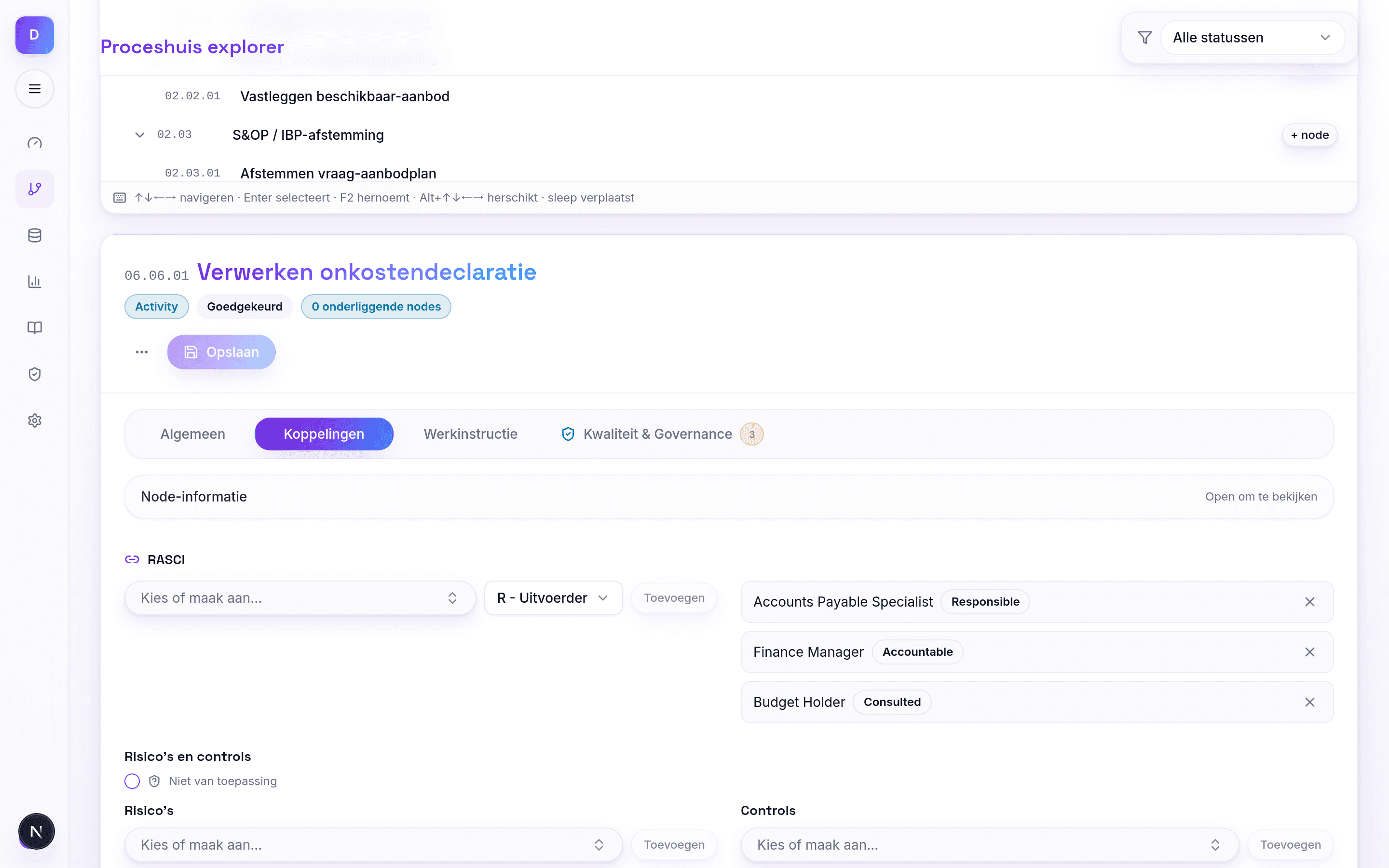
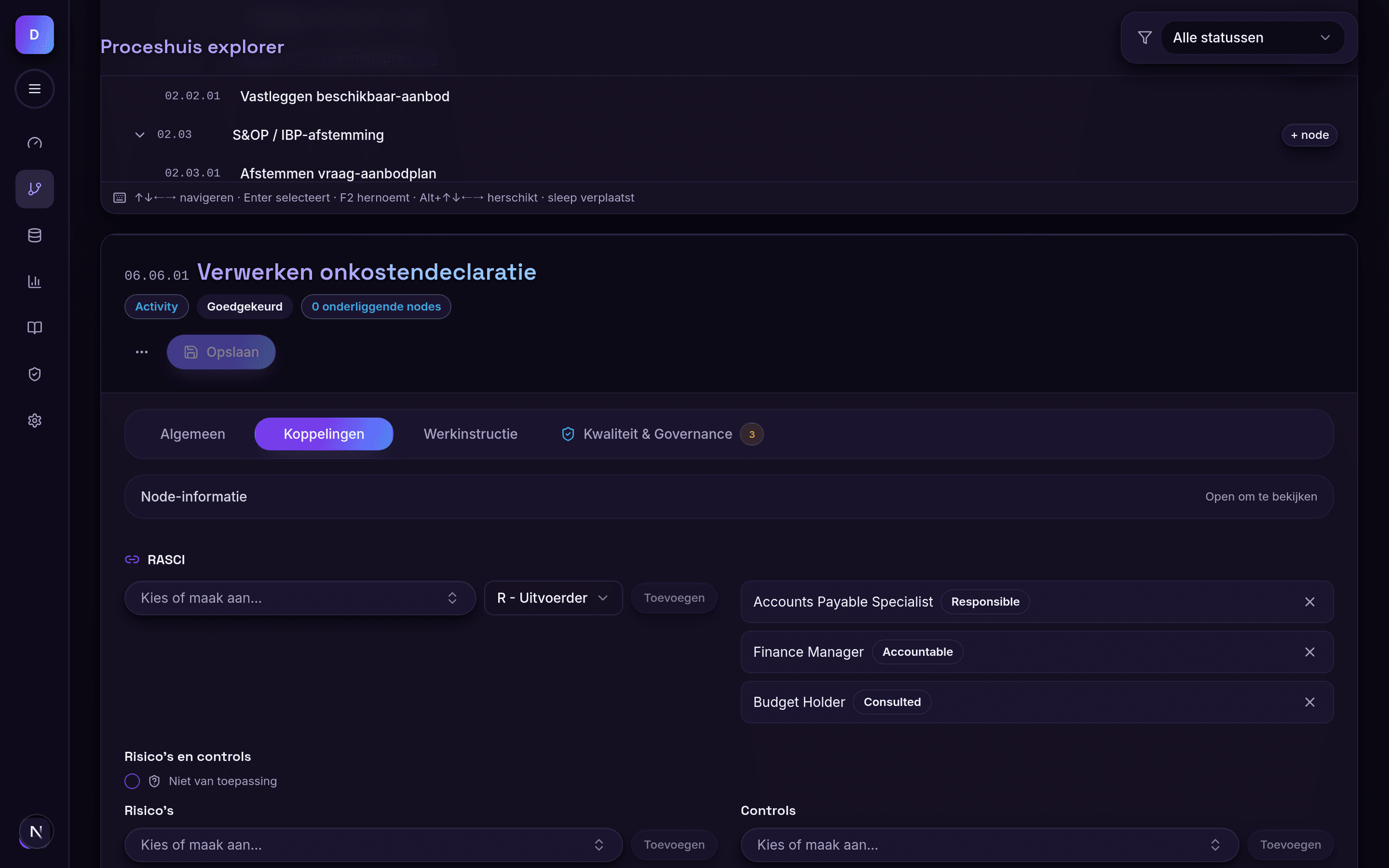
Everything hangs off the process step.
No separate registers drifting apart. A single activity connects the roles, the controls, the systems, the data and the benchmark — as governed, connected data.
One platform, from architecture to audit trail.
RASCI & role accountability
Accountability as first-class data on every process step — exactly one Responsible and one Accountable. Role clarity you can actually report on.
R · A · S · C · IAPQC benchmark
Map activities to the APQC Process Classification Framework and see at a glance where your coverage falls short. Benchmarkable without losing your own structure.
COVERAGE 92%Risk & control matrix
Link risks and controls straight to the process. The RCM is a living, connected object — not a separate register that quietly goes stale.
RISK ↔ CONTROLGovernance & reviews
Review calendars, ownership, change management and a full audit trail — every change traceable on the activity itself. A lifecycle from draft to retired; quality is built in.
REVIEW · AUDITVariant governance
Variant proliferation as a governed KPI: every variant carries an explicit differentiator, with signals that flag candidates for reduction. Filter the tree by role × RASCI, domain and department and find any activity — fewer variants, less sprawl.
STANDARD VARIANT · KPIAn AI assistant that helps
The assistant points out where an activity belongs — and whether it already exists. Privacy-first: enabled per organisation, off by default; you decide whether any data leaves your walls.
PER ORGANISATION · OFF BY DEFAULTRoutes & swimlanes
Compose a linear scenario from your governed library — the steps in order, shown automatically as a swimlane per responsible role. Perfect for building a test scenario or discussing and visualising a process with stakeholders. Because each lane is a single Responsible, you instantly see where too many roles are involved in a process — view or print as a PDF.
SCENARIO · SWIMLANEProcess tree & metadata
Build a hierarchical process house from value stream down to activity — with node roles, variants, inputs and outputs. Tag activities by domain and department and slice your process house along any axis. The depth follows your organisation, not a template.
DOMAIN · DEPARTMENTImport & export
Bring an existing process house in and take it fully back out: portable JSON in and out, plus Excel export. No lock-in — your data stays yours.
PORTABLE · NO LOCK-INLive in days, not quarters.
Import or start fresh
Bring in an existing process house through the importer, or start from the APQC structure. Populated in days, not quarters.
Connect & benchmark
Attach RASCI, risks, controls, systems and data to the process step. Watch your APQC coverage climb in real time.
Act on the signals
The dashboard points out the gaps — where RASCI, risk/control, a review or a domain/department is missing — and doesn't count vanity totals. From a populated model to demonstrably in control.
Rather not start from scratch? We'll build your starter process house.
A blank canvas is the biggest hurdle. With Proceshuis Kickstart, our process architects deliver a populated starter model tailored to your organisation — the first value streams, activities, RASCI, risks and controls already in place. In days, not months.
Fixed price, premium done-for-you — a flying start. The starter model isn't "finished": from there you enrich it yourself in the platform.
Document analysis
€1,000 fixedHand over your existing documentation (procedures, quality manual, internal-control descriptions). We distil the candidate activities and value streams and set up the starter model.
Intake week
€200 per teamShort conversations per department. We capture the key processes and prioritise the value streams and process families that matter most to you.
Transparent, no surprises.
Nobody in this market shows a price. We do — one clear rate, every feature included.
Indicative rate
€50 /mo per organisation
from · unlimited users · monthly
- Unlimited users — one fixed price per organisation
- Every feature included — no modules to buy separately
- Unlimited processes, risks, controls and data objects
- RASCI, governance, reviews and the APQC benchmark as standard
- Strictly separated per organisation · European hosting
Access is arranged through a short contact request — no credit card, no self-service hurdle. Sales sets up your organisation and gets your users ready.
Larger organisation or specific requirements? A custom quote is always possible. Email sales@proceshuis.com or info@proceshuis.com.
Where Proceshuis makes the difference.
An honest comparison — including where others are strong. We win on the combination: process, RASCI, a connected RCM, a benchmark and transparent pricing.
| Capability | Proceshuis | Spreadsheet / SharePoint | Mavim | Cerrix | Engage Process | Lucidchart |
|---|---|---|---|---|---|---|
| Process architecture | full | partial / limited | full | partial / limited | full | partial / limited |
| RASCI on the process step | full | partial / limited | partial / limited | none | none | none |
| Connected RCM (risk & control) | full | none | partial / limited | full | partial / limited | none |
| Validated data (no sprawl) | full | none | full | full | full | partial / limited |
| Governance & audit trail | full | none | full | full | partial / limited | none |
| APQC benchmark & coverage | full | none | none | none | none | none |
| Modern & self-serve | full | partial / limited | none | partial / limited | partial / limited | full |
| Mid-market pricing (transparent) | full | full | none | none | partial / limited | full |
full partial / limited— none
What is a process house?
What is a process house?+–
A process house is the central backbone for process management: it shows which processes an organisation has, how they relate (from value stream down to activity) and where ownership, risks, controls, data, KPIs and work instructions attach.
Read: what is a process houseWho is Proceshuis for?+–
For quality, process and risk managers, internal audit and compliance at mid-sized to large organisations that need to demonstrate they are in control — sector-neutral.
Why not just use Excel or SharePoint?+–
A spreadsheet accepts whatever you type; Proceshuis knows what a process house is. You only link to roles, risks, controls and systems that actually exist (no typos or sprawl), structure and naming are governed, and the system shows you where coverage is missing — APQC coverage, missing RASCI or controls. Plus an AI assistant that helps and a full audit trail. That application logic simply isn't something Excel gives you: there you see cells, not connections, and nothing that flags errors or gaps.
Read: what is a process houseHow does it compare to a GRC tool?+–
A GRC tool starts from risks and controls; the process is a tag at best. We start from the process model — risks, controls and RASCI roles all hang off the process step, together with the system and data object they act on.
Read: risk & control matrix (RCM)What is the APQC benchmark?+–
The APQC Process Classification Framework is an internationally recognised process reference. You map your activities to it and immediately see your coverage percentage — so you know where your process house still has gaps against the standard.
How do I build a RASCI matrix?+–
Put your tasks or process steps in the rows and roles in the columns, then assign exactly one Responsible and one Accountable per step (plus Support/Consulted/Informed). In Proceshuis, RASCI isn't a loose spreadsheet but connected data on the process step. Want to practise on its own? Use our free generator.
Read: how to build a RASCI matrixHow quickly are we live?+–
In days, not quarters. Import an existing process house or start from the APQC structure; the environment is populated out of the box. Access is arranged through a short contact request.
Set up your process house today.
Explore the fully populated demo environment — 151 processes, 141 risks and 135 controls, all connected — or book a tailored demo.